Quick Start Example with VSF Simulation
Here we show a minimal example to visualize the simulation process of a point volumetric stiffness field (Point VSF) model.
The example demonstrates how to:
build a simple Klampt world containing a rigid cube,
attach a force/torque sensor to that cube,
create a uniformly-stiff PointVSF represented by randomly sampled points,
run a quasi-static VSF simulator while moving the cube downward, and
stream measurements while visualizing both the world and the sensed interaction forces.
Animated preview
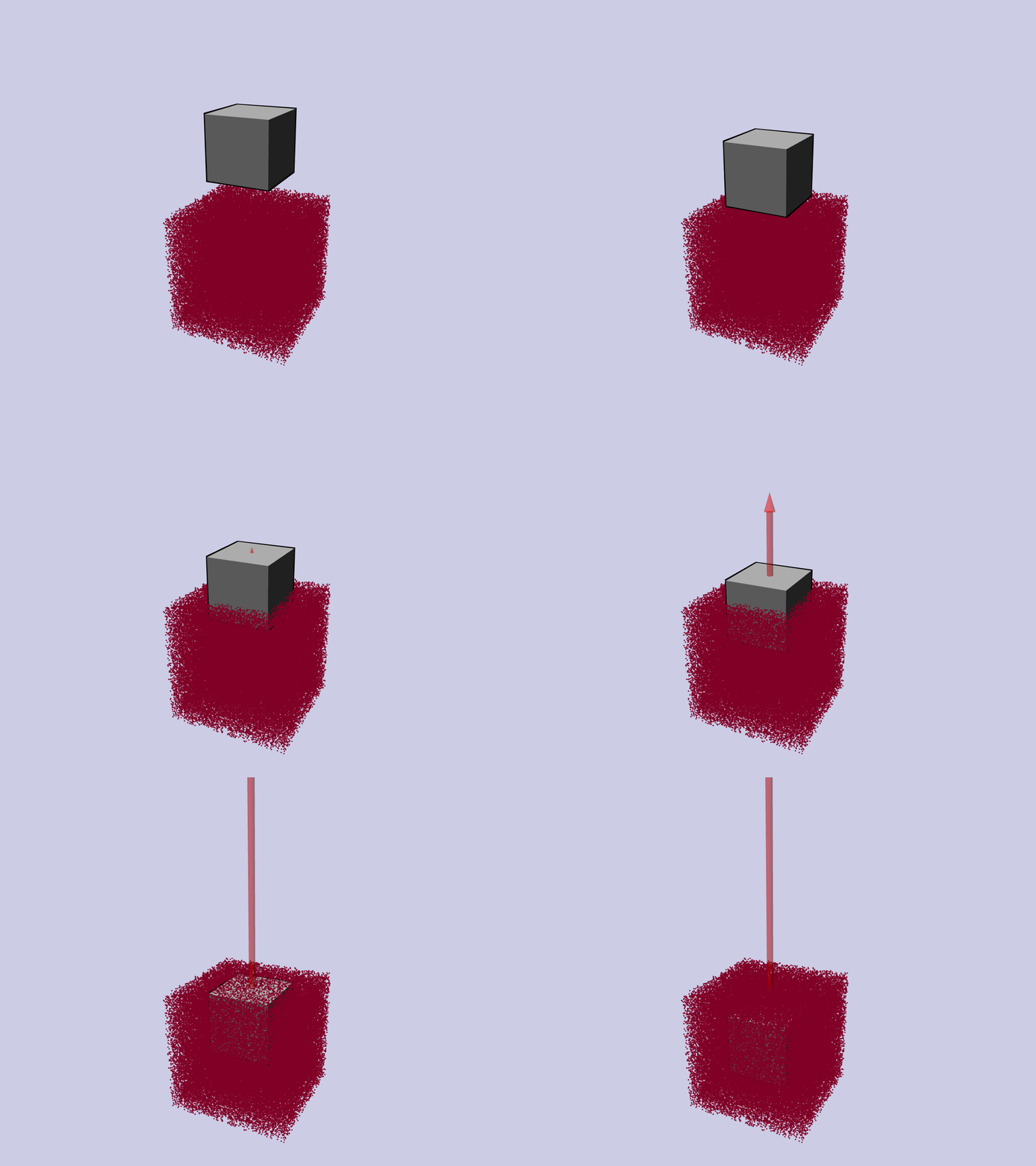
Copy each section below into one file (e.g. minimal_vsf_quick_start.py) in
order, then run it with python minimal_vsf_quick_start.py. Splitting the
code into thematic blocks makes it easier to follow and reuse.
Imports
 1import numpy as np
 2import time
 3
 4from klampt import vis
 5from klampt.vis import Appearance
 6from klampt.model import create
 7from klampt.io import open3d_convert
 8
 9from vsf import PointVSF
10from vsf.sim.constructors import QuasistaticVSFSimulator
11from vsf.sim.klampt_world_wrapper import klamptWorldWrapper
12from vsf.visualize.klampt_visualization import vsf_to_point_cloud
13from vsf.sensor.force_torque_sensor import ForceTorqueSensor
14
15from vsf.visualize.o3d_visualization import create_vector_arrow
World and Sensor Setup
27# 1. Create a Klampt world and add a rigid cube
28world = klamptWorldWrapper()
29box = create.box(0.1, 0.1, 0.1, center=[0.0, 0.0, 0.2])
30world.add_geometry("cube", box, "rigid")
31world.setup_local_pcd_lst()
32world.setup_local_sdf_lst()
33
34# 2. Attach a force/torque sensor to the cube
35sensor = ForceTorqueSensor("force_torque_sensor", "cube")
VSF Creation and Simulator Initialization
45# 3. Create a Point VSF: 100 k points in a 20 cm cube
46vsf = PointVSF(rest_points=np.random.rand(100_000, 3) * 0.2 - 0.1)
47vsf.stiffness += 1.0  # uniform stiffness
48
49# 4. Set up the quasi-static simulator
50simulator = QuasistaticVSFSimulator(world, [sensor])
51simulator.add_deformable("vsf", vsf)
Visualization Setup
57# 5. Visualization
58vis.add("world", world.world, hideLabel=True)
59vis.add("vsf", vsf_to_point_cloud(vsf, auto_stiffness_threshold=0.0), hideLabel=True)
60vis.hideLabel("vsf")
61vis.show()
62
63input("Press <Enter> to start the simulation …")
Simulation Loop
 66# 6. Move the cube downward and visualize forces
 67for z in np.linspace(0.0, -0.2, 120):
 68
 69    vis.lock()
 70
 71    # Rigid-body control: translation in z
 72    control = {
 73        "cube": np.array(
 74            [
 75                [1.0, 0.0, 0.0, 0.0],
 76                [0.0, 1.0, 0.0, 0.0],
 77                [0.0, 0.0, 1.0, z],
 78                [0.0, 0.0, 0.0, 1.0],
 79            ]
 80        )
 81    }
 82
 83    simulator.step(control, 0.1)
 84    vis.unlock()
 85
 86    measurements = simulator.measurements()
 87    print("force and torque:", repr(measurements["force_torque_sensor"]))
 88
 89    time.sleep(0.1)
 90
 91    # 7. Draw an arrow indicating the contact force
 92    center = np.array([0.0, 0.0, 0.2 + z])
 93    end = center + measurements["force_torque_sensor"][:3].numpy() * 5e-4
 94
 95    if np.linalg.norm(end - center) > 0.01:
 96        arrow = create_vector_arrow(end, center, scale=5.0)
 97
 98        arrow_appearance = Appearance()
 99        arrow_appearance.setColor(1.0, 0.0, 0.0, 0.5)
100        arrow_appearance.setSilhouette(0)
101        arrow_appearance.setCreaseAngle(0)
102
103        vis.add(
104            "arrow",
105            open3d_convert.from_open3d(arrow),
106            appearance=arrow_appearance,
107            hideLabel=True,
108            draw_order=-9999,
109        )
110        vis.hideLabel("arrow")